
You probably found this article because you’ve heard about my new study app, the HowMedWorks Study Companion , or because you’re trying to figure out the best way to study for PA school (or the PANCE). Either way, you’re in the right place. I’m so excited to introduce you to the HowMedWorks Study Companion, which is my PA school study app and question bank, built around my study guides and the exact way I studied to get straight A’s in PA school.
A little bit about me: I recently graduated from PA school and am currently working in robotic liver transplantation and hepatopancreatobiliary surgery at one of the top hospitals in New York City.
During PA school, I graduated summa cum laude and was the recipient of several scholarships and awards, including the American Academy of PAs (AAPA) 2025 PA Student of the Year Award.
(If you want to know more about me, feel free to check out my biography
In this article, I’ll walk you through why I made the Study Companion, how it works, what you get, how it connects to my study guides, and how I recommend using it so you get the most out of every minute you study. Let’s jump right into it!
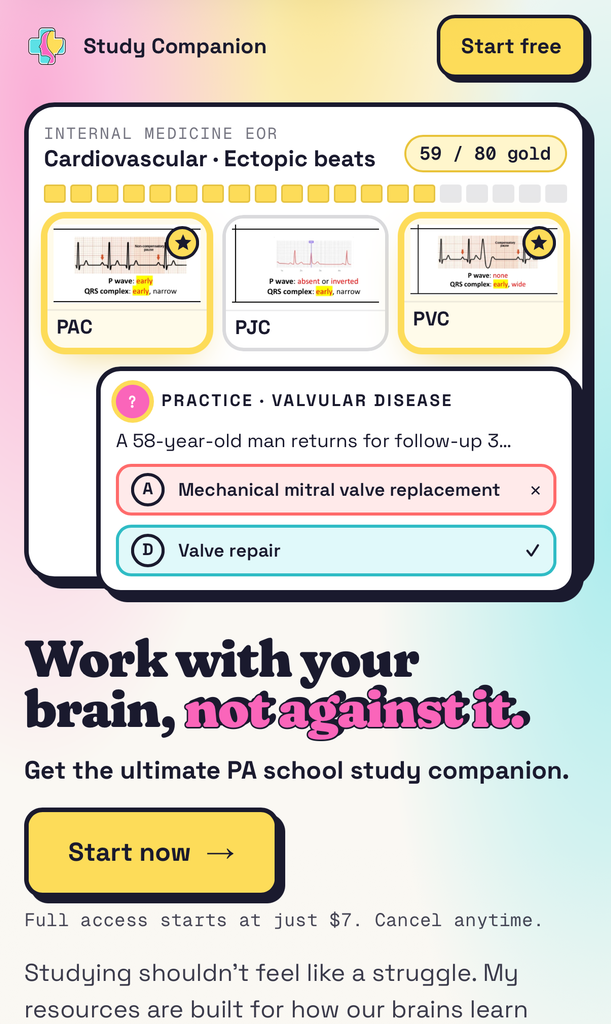
Table of Contents
What Is the HowMedWorks Study Companion?
The Study Companion is a new, interactive study tool that I created specifically for PA students to make PA school easier (and more fun). Everything lives in one place, and you can access it from your phone, tablet, and computer. Here are some of the top features:
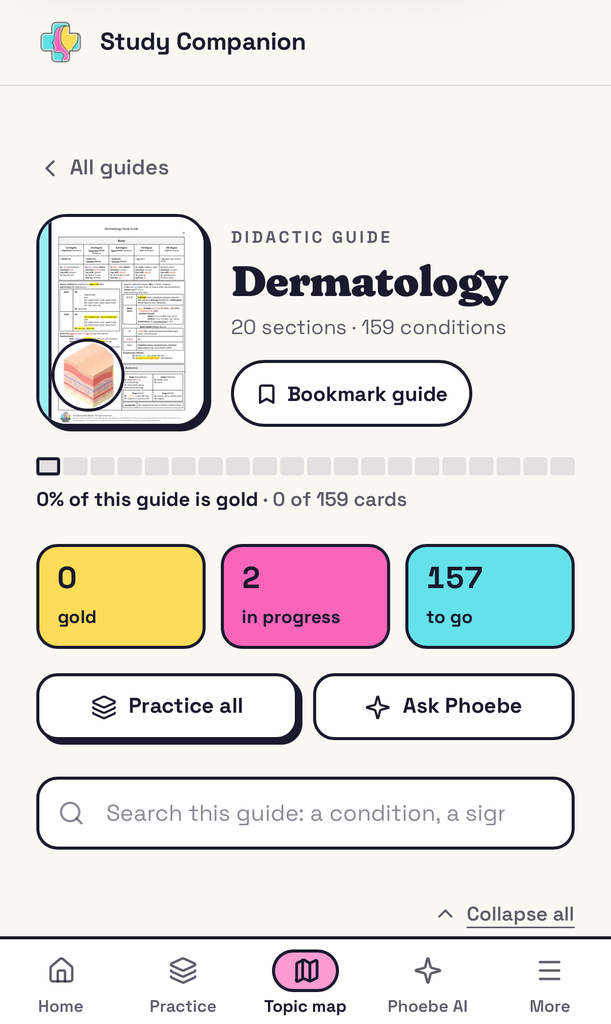
- My study guides, broken down box-by-box, topic-by-topic into over 6,000 individual cards you can practice and track
- 4,000+ practice questions (easy, medium, and hard) for clinical medicine and end-of-rotation (EOR) exams, where every question is tied to the exact card it tests
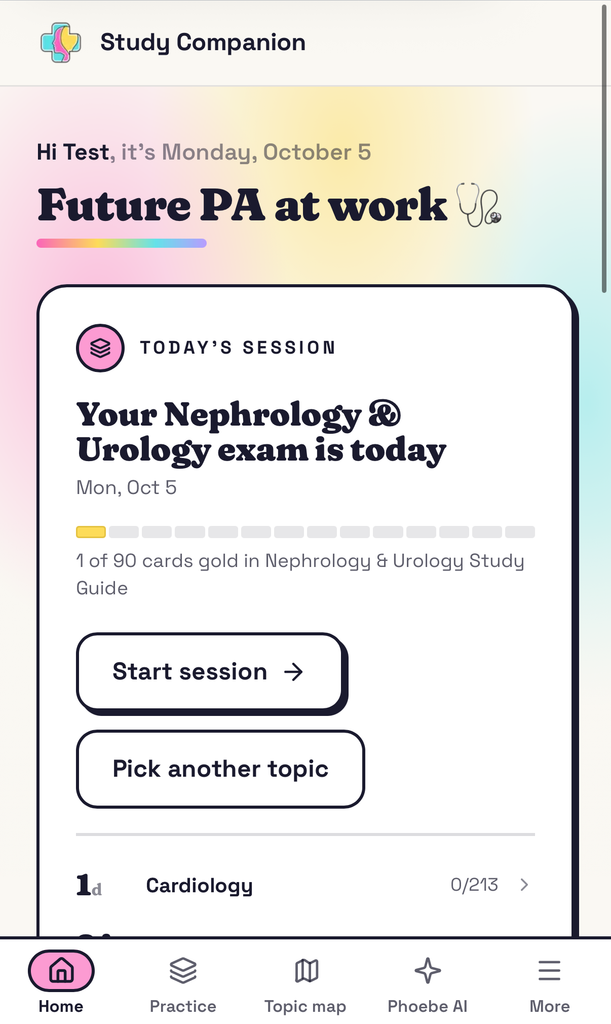
- A board that tracks your progress, with cards that turn gold as you master them
- Phoebe AI, built completely on my knowledge and personal experience that breaks down hard topics and creates personalized study plans based on where you are
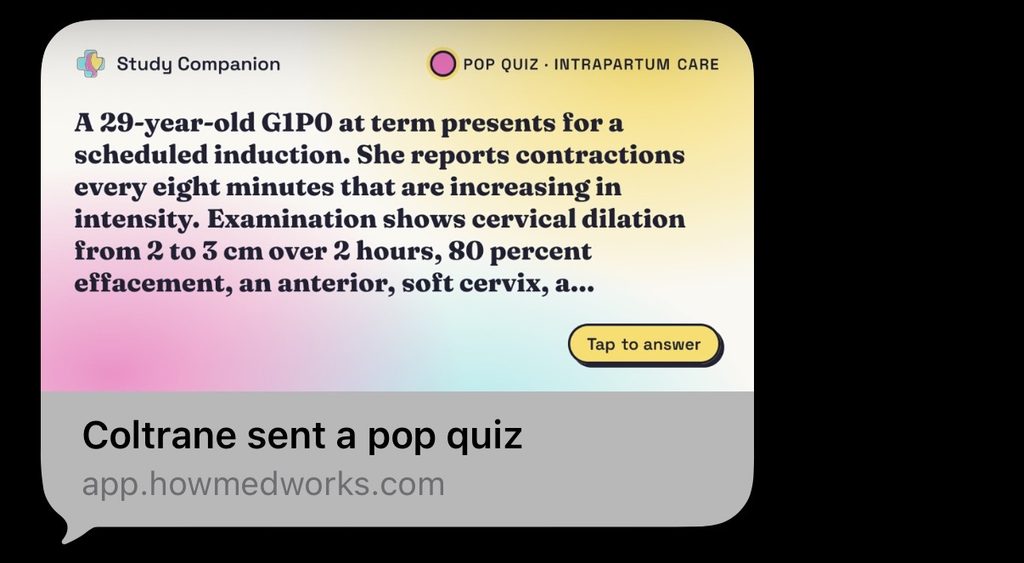
- Daily questions, streaks, and sharing with Friends: a daily question and study tip to keep you consistent, plus the ability to send any question to a friend or study group and compare how you both did
The running theme is simple: work with your brain, not against it. Studying shouldn’t feel like a struggle, and it doesn’t have to. The app is built around how our brains actually learn best: system-based grouping, practice questions linked directly to what you studied, and my signature easy-recall boxes. Everything you need to ace your exams and pass the PANCE, without the fluff.
You can use the Study Companion on your phone, tablet, or laptop. It runs right in your browser, so there’s nothing to download, and your progress follows you wherever you study.
Why I Made the Study Companion
It’s not a secret that I hate studying off slides. Since high school, I’ve turned every class I’ve taken into my own study guide. You know that one person in every class who supplies the study guides? I was that person.
In PA school, I shared my guides with my classmates, and everybody really liked them. Then, students at other programs started using them. Pretty soon, PA students all over the country (and even internationally) were studying from them. If you’ve read my article on my straight A study guide secrets, you already know how that story goes.
But here’s the problem with most question banks: you get a random question and a wall of explanation, in a totally different format from what you studied. So you end up learning things twice, in two different places.
That’s the gap the Study Companion fills. In PA school, I used basically every resource out there at some point. Whenever I saw the same detail or the same trick question come up again, I added it to my guides. The Study Companion app ties it all together: the questions, the cards, the study guides, and the AI are all connected. You study one format, practice in that format, and review in that format. That repetition is what makes it stick, and everything is in a single place that’s easy to refer to instead of scattered amongst multiple resources.
Built for How Your Brain Actually Remembers
If you’ve used my study guides, none of this will be new. If you haven’t, here’s the method behind the madness. I like to say that most PA students have a little bit of a photographic memory, so my guides are built to use it. Same format, every time, until on exam day you can practically pull the page up in your head.
One Box, One Condition
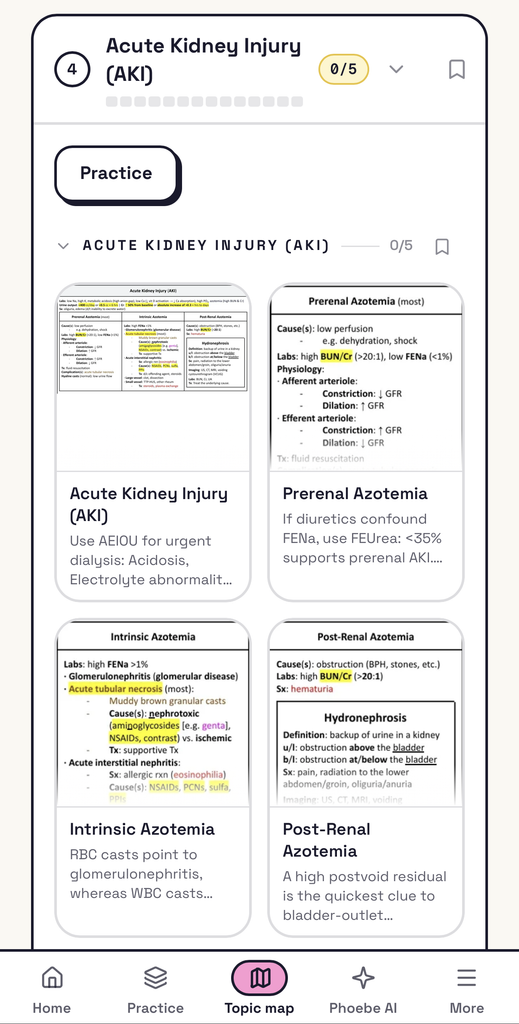
Every single box is one condition. That gives you a quick but complete picture of it, all in one spot. Lookalikes sit right next to each other (like rubeola, mumps, and rubella) because on the exam, if one is an answer choice, the other two usually are too.
Inside the app, every card shows the box straight from my guide, so what you practice looks exactly like what you studied.
Colors You Learn Without Trying
Every color means something, and it means the same thing on every page. You see them so often that on exam day, you just know:
- Green → yellow → red: mild to severe
- Blue vs. red: low vs. high (also viral vs. bacterial, nerve vs. muscle)
- Blue vs. pink: male-predominant vs. female-predominant (Pink is also used for pregnancy.)
- Purple vs. pink: Gram-positive vs. Gram-negative
- Orange vs. blue: acidic vs. alkaline
You don’t have to memorize the colors. They just stick. As I like to say: “Every time I’ve seen this in my study guide, I know it’s in the color purple so I’m sure it’s Gram-positive.”
Want the full breakdown of HowMedWorks study guide features? Check out my How to Study in PA School: My Straight A Study Guide Secrets
HowMedWorks Study Companion App Features
1. Cards That Turn Gold ✨
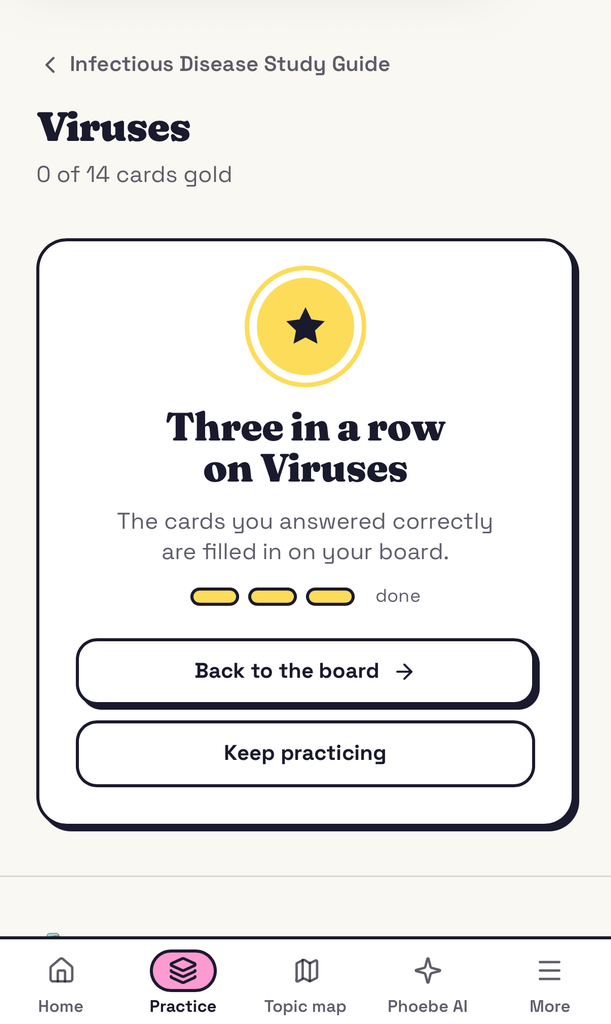
Every box in my guides has been turned into a card in my app, and there are over 6,000 of them. They’re in the same colors and format that you’re already familiar with. Answer three questions correctly in a row, and the card turns gold.
This is probably my favorite feature, because it takes one of the most stressful parts of studying (“Do I actually know this?”) and makes it visible. At a glance, you can see how much of a guide you’ve truly mastered versus how much you’ve just read. You can even add your exam date, and your dashboard will count down to it and show how much of that guide you’ve turned gold.
2. Practice Questions Tied to the Exact Card
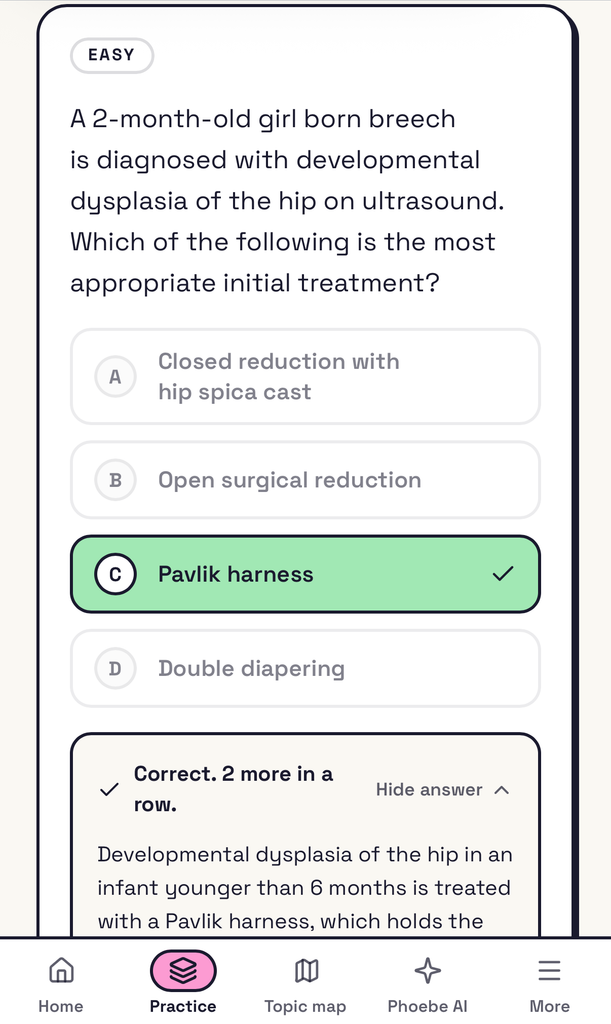
There are over 4,000 practice questions, and every one is written from one of my cards and stays linked. So, when you miss a question, the card it came from pops up right under the answer, in my colors, next to its lookalikes. You can study it immediately and see why you got it wrong, not just what the right answer was. It also matches the associated study guide, so you know exactly what to go back to if you need extra review.
Questions come in easy, medium, and hard so you can warm up before tackling the tough ones. They’re based on the thousands of questions that I came across as a student, including the tricky ones they like to test you on!
Because the questions are grouped the way my guides are (by body system and topic), you can choose how you want to practice:
- Drill one topic
- Work through one whole guide
- Practice only the sections you’ve bookmarked
- By difficulty level
- Mix everything together
3. A Progress Dashboard That Keeps You on Track
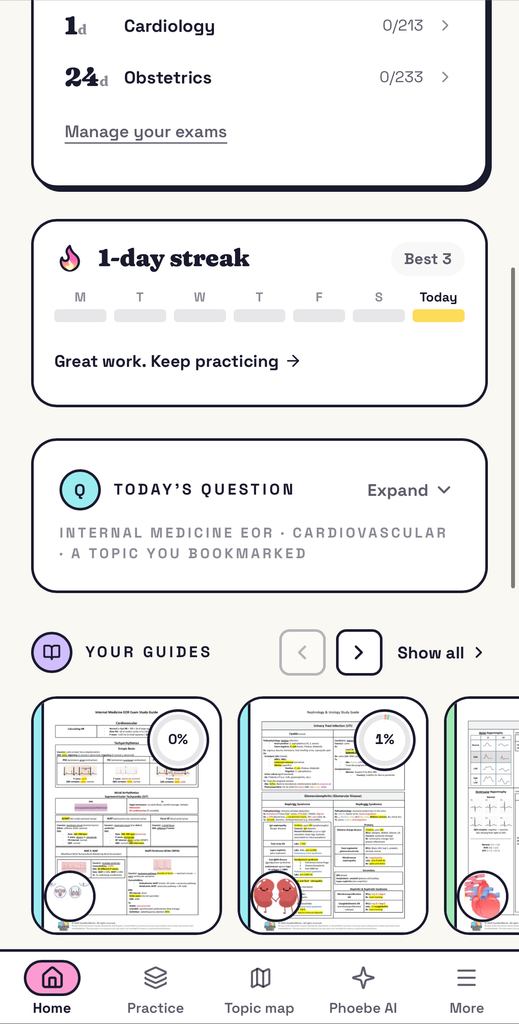
You can track your progress for every guide, topic, and subtopic. Maybe you’re crushing valvular disease but your arrhythmias are still mostly gray. Now you know where to spend tomorrow. Add your exam date and your dashboard counts down to it and shows how much of that guide you’ve turned gold. You can also bookmark your weakest sections and drill just those.
4. Phoebe AI: Answers From My Notes & Personal Experience
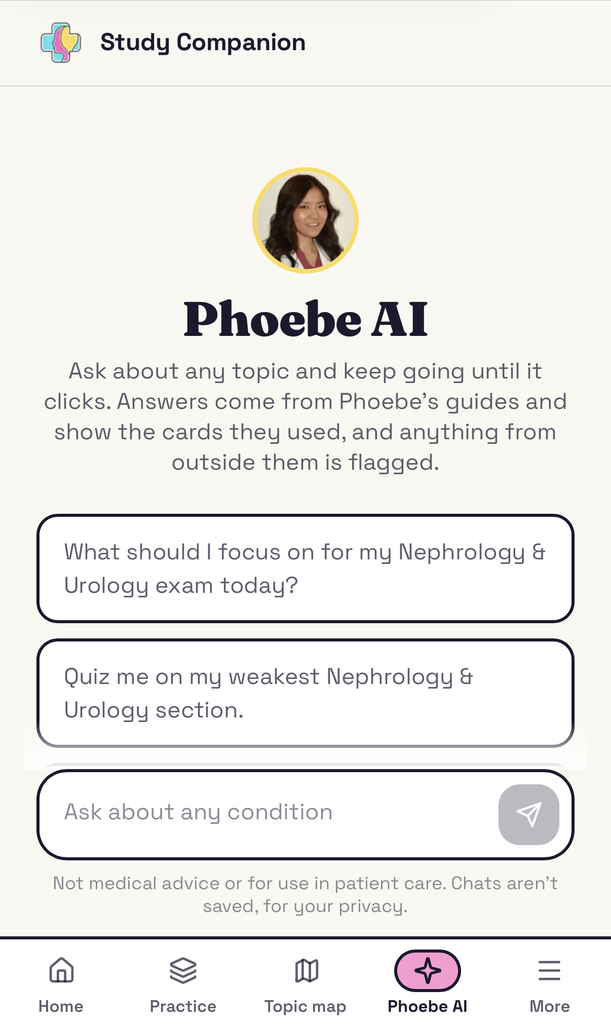
Phoebe AI is a study assistant that answers from my guides. Ask about one topic and keep going until it clicks, and it shows you the cards it used. This is especially helpful when your lecture slides and my card don’t line up perfectly (which happens, since every program teaches a little differently). Instead of getting stuck, you can ask Phoebe AI to help you bridge the gap.
It also knows your progress. Ask what you should focus on, and it breaks down your weak spots based on what you’ve actually missed and what isn’t gold yet. And if you tell it you have an exam coming up and how many days away it is, it can build a complete day-by-day, topic-by-topic study plan so you don’t have to. It uses the method I used in PA school: hardest topics first, a realistic amount each day, and a buffer day or two before the exam so you’re never cramming. You can also open any card and ask it to quiz you.
As for privacy, your conversations with Phoebe AI aren’t stored, and your study records are never shared with advertisers.
5. Daily Questions, Streaks, and Sharing with Friends
Every day there’s a daily question and a study tip from me. Do at least one question a day to keep your study streak going. It sounds small, but consistency is honestly what got me through PA school.
You can also send any question to a friend or your study group and see how you both did! After you answer, you can compare your results with everyone else who’s taken it so you know whether it was a hard one or one you maybe could have gotten. 😉
How Are the HowMedWorks Study Companion and Study Guides Related?
Think of it this way: the guides are how you learn the material, and the Study Companion is how you lock it in. The app turns them into something you can easily access, practice, and track.
The full PDF study guides are sold separately. They’re still the best way to read, annotate (there’s extra margin space for your own notes), and review each topic. You can find them on my study guides page. However, if you already bought a guide, your purchase came with a code. Redeem it in the app and that study guide’s board and questions unlock with no subscription needed, plus you get a free week of everything else.
If you already make your own guides, keep making them! Making your own is a fantastic way to learn. You don’t need to buy my guides to use the HowMedWorks Study Companion app. You can still start with the free version, try the $7 first week, and then choose a monthly or annual subscription that gives you access to everything in the app and all of its features.
How to Best Use the Study Companion
Here’s how I’d personally use it, based on the way I studied in PA school. (You can find the full breakdown in my video on how to study in PA school and my 8 tips for succeeding in PA school article.)
A Simple Weekly Flow
- Read the guide section for the topic you’re studying (start with the essentials, then the details).
- Do practice questions on that topic to pull the information back out.
- Check any missed questions against the card that appears under the answer.
- Keep going until the card turns gold.
- Use Phoebe AI on anything that won’t stick, or when your lecture and the guide don’t match up.
- Bookmark your weak spots and drill just those in the final week before your exam.
Using It for EOR Exams and the PANCE
For clinical year, the EOR guides follow the PAEA End of Rotation blueprint, so you’re studying exactly what you’ll be tested on. And for the PANCE: these are the same notes I studied from for the PANCE. You can mix practice questions from all 24 guides together, or bookmark your weakest sections and drill them until they turn gold.
Is There a Free Version?
Yes, and I mean it! I want this to be accessible to every PA student, so the free version is a real version, and it should still improve your scores. With the free version, you get:
- Seven practice questions a day from any of my guides
- A study tip from me every day
- 20 messages a day with Phoebe AI
If you want to unlock everything (all subjects and Phoebe AI), full access is $7 for your first week, then $47/month. Cancel anytime from your dashboard before day 8 if you decide it’s not for you.
Frequently Asked Questions
Can this really help me get straight A’s? I can’t promise grades (nobody honestly can!). But I did get straight A’s, and this is what did it: studying visually instead of just rereading, starting before the lecture, and following a steady routine instead of cramming. The app is built around all of that.
I’m a visual learner. Will this work for me? That’s exactly who I built it for! Boxes, colors, highlights, and pictures do the remembering, so you’re not rereading walls of text.
Does Phoebe AI make things up? It answers from my guides and shows you the cards it used. When something comes from outside them, it tells you.
Will it cover everything in my lectures? Every program teaches a little differently so no guide will match your lectures word for word. Mine cover the high-yield material PA programs test, and the rotation guides follow the PAEA End of Rotation blueprints. When your slides and my card don’t line up, that’s where Phoebe AI comes in.
Does it work on my phone? Yes! It runs in your browser on a phone, tablet, or laptop. Nothing to download.
Final Thoughts
Ultimately, I built the HowMedWorks Study Companion because I wanted PA students to have the tool I wish I’d had: concise, visual, high-yield guides, plus practice that connects directly back to them. No fluff, no wasted time, and no more wondering whether you actually know the material.
If you’re ready to give it a try, you can start for free here. If you want to dive deeper into the guides that power the app, check out my didactic year study guides and EOR study guides. (Bundles are available as well!)
I can’t wait to hear what you think! Good luck and, as always, stay healthy and keep learning. You’ve got this! 💪